As we’ve previously mentioned, you should have several (4 to 8 is ideal) professional looking images displayed on your Petworks listing page. Great looking images will help you attract pet parents to your pet care services business. One image will be your thumbnail. And all the rest will be carousel images. The tutorial below will walk you through how to add images to your your listing page:
 Step 1: Go to your listing page, then click on the ‘Edit Listing’ link.
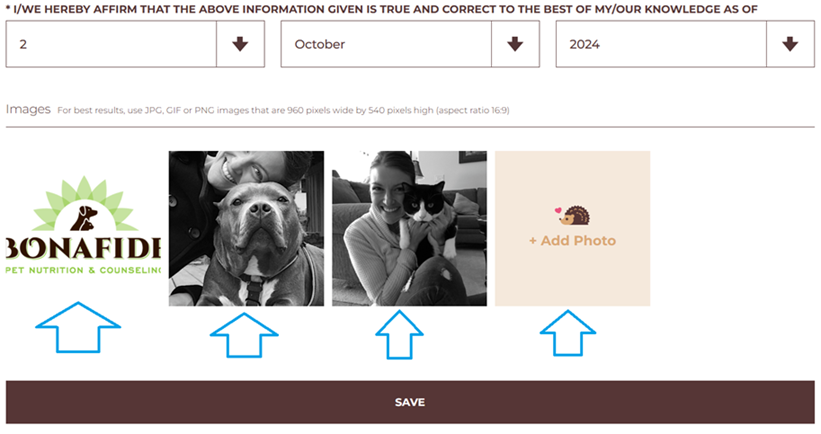
Step 2: Once you are on your ‘Edit Listing’ page, scroll down near the bottom of the page, and you’ll see the ‘Add Photos’ section. This is the section where you can upload images from your mobile phone or laptop computer. The ideal image size is 960 pixels X 540 pixels high (16:9 ratio). The first image you add will be your listing page’s main image…this image should be horizontally shaped. The rest of the images you add will be your carousel images which pet parents can scroll through. When you are done uploading images, be sure to click on the ‘Save’ bar:
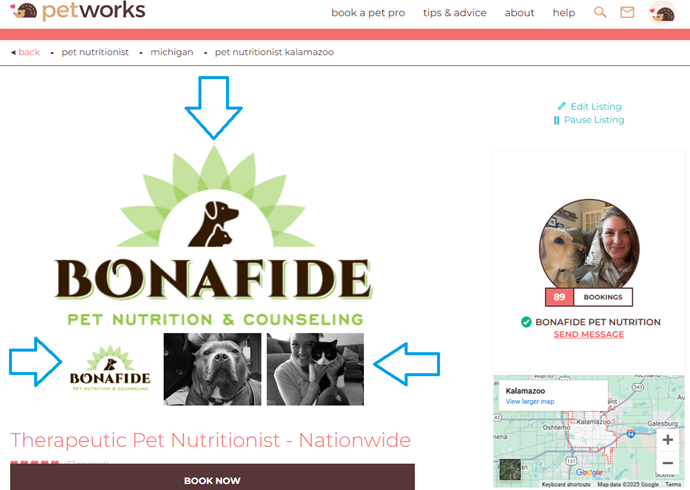
Once you’ve uploaded and saved your images, they will appear on your listing page within a few minutes:
More About Petworks

Petworks Co-Founder Kevin Kinyon is a life-long animal lover who works tirelessly to improve the lives of pets and their parents. Human and animal qualities he values most are integrity, humor, and empathy.

 petworks tm