From time to time, you’ll want to edit and update your Petworks listing page. It’s important to keep your page up-to-date, because for example you might relocate your business, change your business name, or perhaps you want to embed a new YouTube video. All of this can be done by editing your listing. Here’s how:
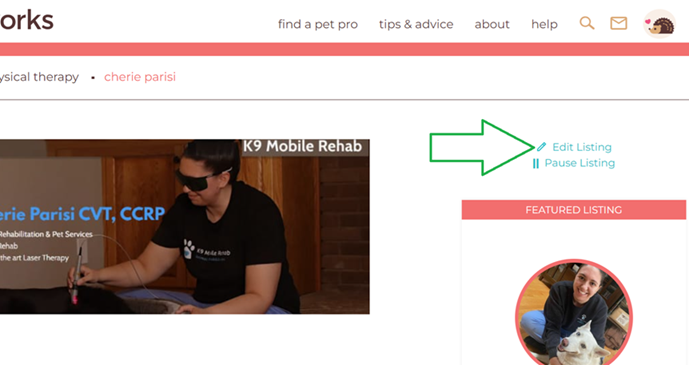
 Step 1: When logged into Petworks, go to your listing page, then click on the blue “Edit Listing:” link, which is located near the upper right hand side of your listing page:
Step 2: Then, on your ‘Edit Listing’ page, you can made edits and additions. If you’d like to add or edit your images, scroll down to near the bottom of the page, and you’ll see the images upload/edit section. Once you’ve finished, be sure to click on the brown colored “Save” bar near the bottom of the page: 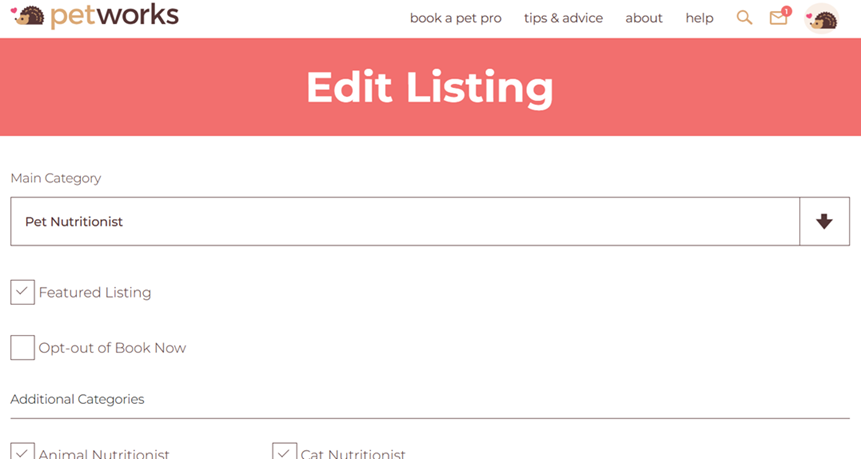

Petworks Co-Founder Kevin Kinyon is a life-long animal lover who works tirelessly to improve the lives of pets and their parents. Human and animal qualities he values most are integrity, humor, and empathy.

 petworks tm