There will be times when you may need to pause your Petworks listing page. For example, you might be on vacation, ill, or perhaps your business is booming and you simply need a break from acquiring new pet parent customers from Petworks. Here’s how you can pause your Petworks listing page:
1. Go to your listing page, and along the upper right hand corner, click on the light blue colored “Pause Listing” link: 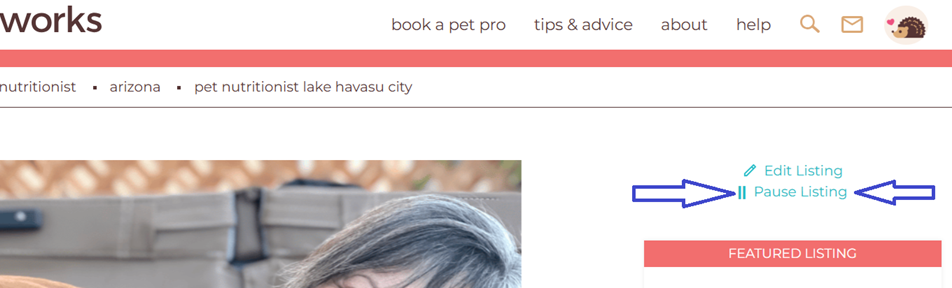
2. After you’ve paused your listing, your listing will no longer appear in Petworks search results or in Google search results. However, you can still continue to do all of your Petworks activities such as communicating with existing pet parents, conducting previously scheduled booking sessions, etc.
 3. If you would like to Un-Pause your listing page, go back to your listing page, and then you’ll see a light blue colored link that says “Reactivate/Edit Listing”. Click on that link, and then follow the ensuing instructions. Once you have un-paused your listing page, it will begin appearing in Petworks search results in approximately four hours. And it will begin appearing again in Google search results within a few weeks.


 petworks tm