Setting a service radius for your business is important if you offer pet care services which are local or regional. It helps you get contacted by pet parents who are within a certain number of miles from your business location.
Here’s how you can set up your service radius:
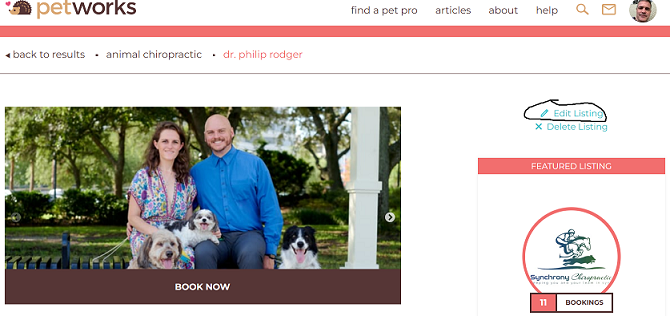
Step 1: Go to your Petworks listing page, and click “Edit Listing”:
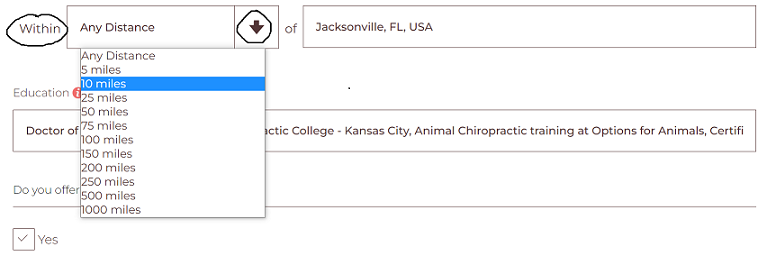
Step 2: Then, on the next page, about 1/4 of the way down the page, you can select a service radius distance. Please note that you can also choose “Any Distance”, if you do not want any service distance limitations and/or if you offer remote consultations from anywhere to pet parents everywhere:
Step 3: Then scroll down to the bottom of the page and click on the brown colored “Save” bar.

Petworks Co-Founder Kevin Kinyon is a life-long animal lover who works tirelessly to improve the lives of pets and their parents. Human and animal qualities he values most are integrity, humor, and empathy.

 petworks tm